
Create your VoxBot account
Your VoxBot account keeps your connected channels, TTS commands, playback settings, moderation, tipping setup, and team access together.
Sign up
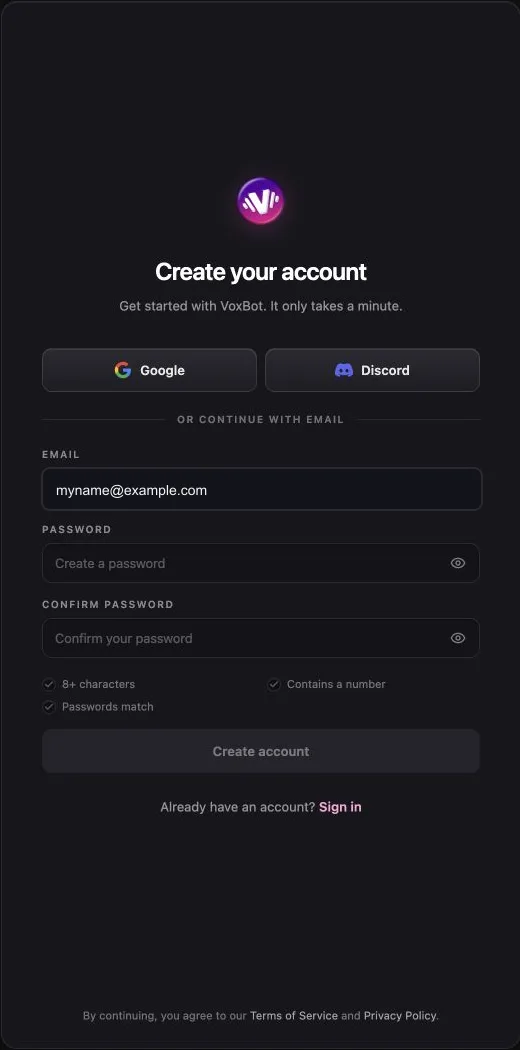
Section titled “Sign up”- Open https://vox.bot/login.
- Select Sign up.
- Select Google or Discord to use a connected sign-in.
To use email instead:
- Enter your email address under Email.
- Enter a password under Password. The password must contain at least eight characters and one number.
- Enter the password again under Confirm password.
- Select Create account.
If VoxBot sends a confirmation email, open the link in the email.
Set up your VoxBot account
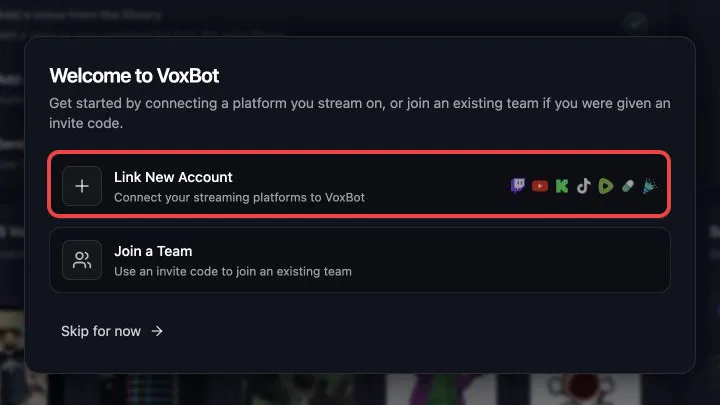
Section titled “Set up your VoxBot account”After you sign in for the first time, VoxBot shows three setup choices.
- Select Link New Account to connect the first channel that you stream on.
- Select Join a Team if another VoxBot user gave you an invite code.
- Select Skip for now if you want to look around first. VoxBot cannot receive chat until you connect a streaming channel.
Connect the channel you stream on
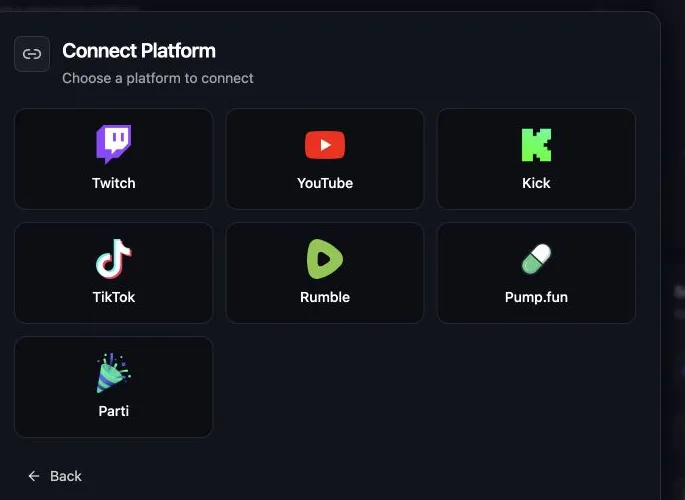
Section titled “Connect the channel you stream on”- Select Link New Account.
- Choose Twitch, YouTube, Kick, TikTok, Rumble, Pump.fun, or Parti.
- Complete the connection steps for that platform.
- Return to VoxBot.
- Open Account.
- Confirm that the streaming channel appears under the Connected section.
Next step
Section titled “Next step”Continue with Send your first TTS message to add the browser source and test !tts.
Can I create a VoxBot account without Google or Discord?
Yes. Select Sign up and use the email, password, and confirmation fields.
Why did VoxBot ask me to confirm my email?
Email signup may require a confirmation link before the account can finish signing in. Check the inbox for the address you entered, including its spam folder.
What belongs to my VoxBot account?
Your connected streaming channels, TTS commands, Playback Settings, moderation, Tipping setup, and team access belong to your VoxBot account.
Can I connect my streaming channel later?
Yes. Open Account, find the platform under the Not Connected section, and select Connect. VoxBot cannot receive that channel’s chat until the connection is complete.
Need help signing up?
Section titled “Need help signing up?”Email support@vox.bot or ask in the VoxBot Discord.